
About Toggl Track
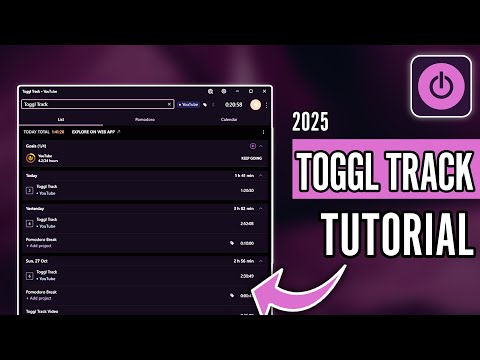
Toggl Track is a cross-platform time-tracking and productivity app developed by Toggl OÜ in Tallinn, Estonia. It offers simple yet powerful tools to track time via web, desktop, mobile, or browser extensions—focusing on clarity, privacy, and maximizing productivity with ease.
✅ Pros
- ✔️ Intuitive design and user-friendly interface.
- ✔️ Works across web, desktop, and mobile devices.
- ✔️ Strong privacy policy with zero surveillance.
- ✔️ Rich reporting, invoicing, and deep insights.
- ✔️ Available in free, paid, and enterprise plans.
❌ Cons
- ✖️ Lacks GPS tracking for field teams.
- ✖️ Complex reports overwhelm new users.
- ✖️ Premium plans get expensive quickly.
- ✖️ Offline tracking can be unreliable.
Key Features

Ready-to-Use Prompts
Copy and customize these prompts for your specific needs
“Create a structured daily plan for [My Work / Study / Business]. Include [Top 3 Priorities, Time Blocks, Breaks, and Optional Tasks] in a [Simple and Easy-to-Follow] format.”
“Break down my goal — [Write Book / Launch Business / Study for Exam / Finish Project] — into [Weekly Milestones] with [Action Steps, Tools Needed, and Deadlines].”
“List practical strategies to reduce distractions while doing [Specific Task, e.g., studying, working, designing]. Include [Digital Detox Tips, Environment Setup, and Focus Techniques].”
“Create a customized time-management system for [My Daily Routine / My Work Style] using [Pomodoro, Time Blocking, Priority Matrix] and suggest [Tools or Apps] to improve it.”
“Suggest a productivity workflow for [Studying a subject / Working on a project / Completing assignments] including [Focus Sessions, Review Steps, Breaks, and Tracking Methods].”
Customer Reviews
Pricing Plans
Free Plan
$0 Free for up to 5 users. Key productivity insights for individuals or teams of up to 5 Key Features:
Time tracking on web, desktop, and mobile
Integration with 100+ tools via browser extension
Google & Outlook Calendars integrations
Productivity reports
Paid Plans
$9 per user per month Key Features:
Accurate billing
Team-level productivity and revenue reports
Real-time project and task progress
Everything in Free +
Billable rates
Projects and tasks
Project time estimates and alerts
Revenue and productivity analysis
Team collaboration features
Premium $18 per user per month Key Features:
Precise data on team productivity, billing, profitability and workload
Built-in data accuracy features
Fully customizable, flexible reporting
Everything in Starter +
Profitability analysis
Fixed fee projects
Scheduled reports
Timesheet approvals
Data accuracy features
Fully customizable reports
Jira, Salesforce integrations
Single sign-on (SSO)
Enterprise Custom pricing. Turnkey solution. Key Features:
Expert onboarding and a dedicated Customer Success Manager
Tailored setup for your workflows
Priority support with faster response times
Everything in Premium +
Personalised onboarding & dedicated customer success manager
Custom solutions for your setup, workflows, and integrations
Multiple workspaces under one Organization
Volume discounts for large teams on our annual plan

 Login with Google