TODO Highlight

1

Highlight TODOs, FIXMEs, and any keywords, annotations. Installation: Launch VS Code Quick Open ( Ctrl+P ), paste the following command, and press enter.

(4.4)
Average rating 4.4 out of 5

Free, Freemium

Tool Information

Company

None

Founded

2016

Pricing

Free, Freemium

About TODO Highlight

TODO Highlight is a VS Code extension that highlights keywords like TODO and FIXME, making them stand out. It’s a code utility, not an AI tool.

Pros

  • ✔️ Makes important notes highly visible.
  • ✔️ Improves team collaboration & code reviews.
  • ✔️ Highly customizable keywords and styles.
  • ✔️ Lists all annotations in one convenient panel.
  • ✔️ Lightweight and fast performance.

Cons

  • ✖️ It is not an AI tool; just a text highlighter.
  • ✖️ Can create visual “noise” if overused.
  • ✖️ Provides no actual task management functionality.
  • ✖️ Default styles might clash with some themes.

Key Features

✔️ Highlights default keywords (TODO, FIXME).
✔️ Custom keyword and styling configuration.
✔️ “List all” command for a summary view.
✔️ Case-sensitive and whole-word matching.
✔️ Folder/file exclusion settings.


English Thumbnail
Visual Code Extensions To Boost Your Productivity #1: TODO Highlight
Hindi Thumbnail
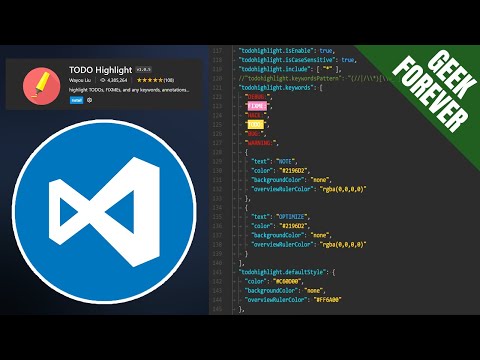
⚙️Install TODO & FIXME Highlight in VS Code

Ready-to-Use Prompts

Copy and customize these prompts for your specific needs

Prompt 1 Title
Prompt 1 Content
Prompt 2 Title
Prompt Title
Prompt Content
Prompt Title
Prompt Content
Prompt Title
Prompt Title
Prompt Content

Customer Reviews


😊 😡 😍 😐 👍


Pricing Plans

Free Plan

Use Cases

Highlight important TODO comments so you don’t forget pending tasks in your code.

Spot FIXMEs or critical issues quickly without searching manually.

Keep your workflow organized by color-coding different reminders.

Help teams track unfinished parts of a project while collaborating.

Reduce stress by showing all pending tasks clearly in one view.

[tool_use_cases

Marking bugs that need fixing.

Leaving visible notes for teammates.

Quickly navigating to important code sections.

Reminding oneself of technical debt.

Nothing!

×

Sign in to Projectpedia

Welcome back! Please sign in to continue


or

Don't have an account? Sign up
Scroll to Top