
About Sharly AI
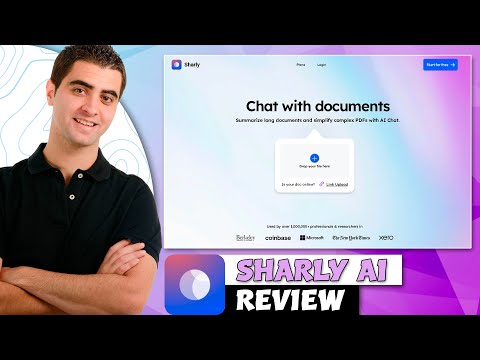
Sharly AI is a tool for businesses and teams to chat with documents. It helps create shareable knowledge bases from PDFs, Word docs, and websites.
✅ Pros
- ✔️ Allows users to chat with multiple documents simultaneously.
- ✔️ You can create a shareable chatbot or “knowledge base” from your files.
- ✔️Supports a wide variety of file formats, including PDF, DOCX, and website links.
- ✔️ Designed with a clean, professional interface suitable for business use.
- ✔️ Provides citations with its answers, linking back to the source documents.
❌ Cons
- ✖️ The free plan is quite limited, encouraging users to upgrade to a paid subscription.
- ✖️ Can be more expensive than simpler tools designed for individual use.
- ✖️ The quality of answers is highly dependent on the clarity of the source documents.
- ✖️ May not accurately interpret complex tables, charts, or low-quality scans.
Key Features
Ready-to-Use Prompts
Copy and customize these prompts for your specific needs
“Summarize this PDF into a clear, easy-to-understand explanation. Highlight the main points, important data, and the overall conclusion.”
“Create a short executive summary of this PDF for quick reading. Include key insights, main arguments, and the final outcome in 200 words or less.”
“Convert this PDF into bullet points. Include only the most important points, definitions, facts, and takeaways.”
“Break the PDF into sections and provide a summary for each section. Make it easy to understand with short headings and brief explanations.”
“Summarize this PDF by extracting only actionable insights: what to do, what to avoid, strategies, steps, and recommendations mentioned.”
Customer Reviews
Pricing Plans
Free Plan
✓ Individual user
✓ Instant summaries and AI answers
✓ 5 docs/day
✓ Multi-format upload (PDF, DOCX, Notion)
Paid Plans
Pro (For solo researchers who need clarity, citations, and speed.)
$12.5/month
✓ High quality answers
✓ Unlimited uploads
✓ Reasoning capabilities
✓ No training data for LLMs
✓ Advanced security protocols
Team
$24/month (For research teams, analysts, and labs working across documents.)
✓ Max Seats – Up to 100
✓ Unlimited documents & chats
✓ Team annotations
✓ Knowledge retention
✓ Semantic extraction
✓ Analytics & citation history
Business
For institutions with enterprise-grade security, scale, and support needs.
Custom
✓ Unlimited seats
✓ Admin dashboard + role-based access
✓ Version history + audit logs
✓ SSO / SAML/Private deployments + dedicated support

 Login with Google