
About Napkin AI
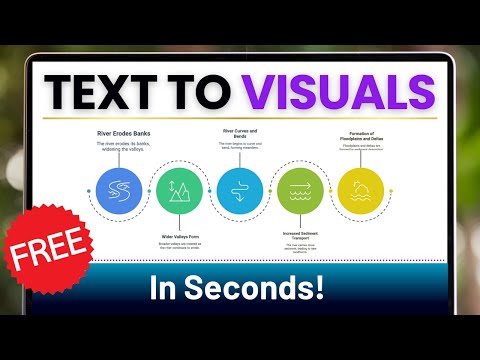
Napkin AI is a visual AI platform that converts text into professional diagrams, infographics, flowcharts, and visual content without requiring design skills. It helps users quickly create business storytelling visuals by generating and editing graphics directly from text.
✅ Pros
- ✔️ Easy-to-use interface with low learning curve.
- ✔️ Real-time collaboration for teams.
- ✔️ Offers real-time collaboration for teams.
- ✔️ Free beta with advanced paid features.
- ✔️ Connects with popular productivity tools.
- ✔️ Strong adoption with 2M+ beta users.
❌ Cons
- ✖️ Advanced features limited to paid plans.
- ✖️ Desktop-focused; no mobile editing yet.
- ✖️ Less flexible than full graphic design tools.
- ✖️ Templates may become repetitive over time.
- ✖️ No API or advanced automation integrations yet.
Key Features

Ready-to-Use Prompts
Copy and customize these prompts for your specific needs
“Research the current market trends of [Industry: Electric Vehicles, EdTech, Healthcare, etc.]. Include data from the past [Number] years, key competitors, growth opportunities, and forecasted future trends.”
“Conduct a research report on the environmental impact of [Activity: Deforestation, Plastic Usage, Mining]. Explain causes, short-term and long-term effects, and propose sustainable alternatives with supporting data.”
“Research how [Consumer Group: Gen Z, Millennials, Urban Families] make purchase decisions for [Product Category: Electronics, Fashion, Food]. Include survey data, psychological insights, and brand influence analysis.”
Draw a [type of diagram: organizational chart / workflow / system diagram].
Show [roles, steps, or components] in structured form.
Ensure [style: clean, professional, or easy-to-follow] presentation.
Keep it relevant for [purpose: planning, teamwork, or explanation].
Create a [diagram type: Gantt chart / decision tree / workflow].
Add [tasks, options, or decision paths] with clarity.
Format it in a [style: organized, clear, or business-like] way.
Make it effective for [purpose: project, analysis, or planning].
Design a [diagram type: mind map / flowchart / process diagram].
Include [key ideas, steps, or connections] clearly.
Use [style: colorful, professional, or simple] formatting with labels.
Make it practical for [purpose: teaching, business, or daily use].
Customer Reviews
Pricing Plans
Free Plan
500 AI credits per week
Unlimited visuals editing
Unlimited file import (PPT, DOC, PDF, HTML, MD)
Unlimited PNG & PDF export
Built-in styles and fonts
Standard icons
Napkin branding on visuals
Paid Plans
PLUS (Popular) $9 per person / month
Everything in Free +
10,000 AI credits per month
Unlimited PPT & SVG export
3 Custom styles
Bold icons
Remove Napkin branding
Team management and billing
PRO (Stand out) $22 per person / month
Everything in Plus +
30,000 AI credits per month
Exclusive designs
Unlimited custom styles
Upload your fonts
Team management and billing
Optional credit top ups

 Login with Google