MeetGeek

1

AI Meeting Notes & Transcripts — Record & Transcribe Zoom, Teams & Meet Calls. Auto Summaries, Action Items & Highlights.

(4.2)
Average rating 4.2 out of 5

Free, Freemium

Tool Information

Company

MeetGeek

Founded

2021

Pricing

Free, Freemium

About MeetGeek

MeetGeek is an AI assistant that automatically joins, records, and summarizes your online meetings, creating actionable notes from your conversations.

Pros

  • ✔️ Auto-Note: Takes and shares meeting logs.
  • ✔️ Quality: Structured summaries and tasks.
  • ✔️ Linked: Fits Zoom, Meet, Teams, Calendar.
  • ✔️ Search: Full text index for quick recall.
  • ✔️ Catch-Up: Easy update for absent members.

Cons

  • ✖️ Audio Err: Noisy mic harms transcription.
  • ✖️ Consent: Bot use needs team permission.
  • ✖️ Nuance: AI can miss subtle context talk.
  • ✖️ Free Cap: Monthly limit on meeting count.

Key Features
✔️ Auto-Rec: AI bot joins and transcribes.
✔️ Summary: Meeting notes mapped by topic.
✔️ Detect: Tracks action items and tasks.
✔️ Speaker: Tags who said what in the text.
✔️ Connect: Auto-joins via your calendar.
✔️ Share: Send recaps to team with ease.


English Thumbnail
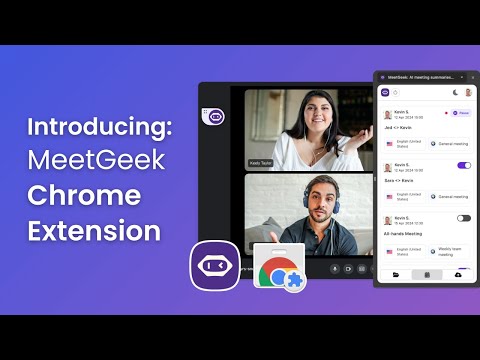
MeetGeek Chrome Extension Tutorial

Ready-to-Use Prompts

Copy and customize these prompts for your specific needs

1. Professional Email Writer Prompt

“Write a professional email for [Purpose: meeting request, follow-up, clarification] in a clear, polite, and concise tone.”

2. Report Summary Prompt

“Summarize this office report/document into [Short Points / One Paragraph] highlighting key updates, decisions, and next actions.”

3. Meeting Notes / Minutes Prompt

“Convert the following meeting discussion into structured meeting minutes. Include Agenda, Key Points, Decisions, and Action Items.”

4. Task Prioritization Prompt

“Organize my tasks for today. Sort them into High Priority, Medium Priority, and Low Priority with recommended time blocks.”

5. Presentation Content Creator Prompt

“Create presentation-ready content for a meeting on [Topic: performance review, project update, sales report]. Include headings, bullet points, and a short conclusion.”

Customer Reviews


😊 😡 😍 😐 👍


Pricing Plans

Free Plan

BASIC

For individuals looking to improve meeting management

3 hours of transcription / mo

3 months transcript storage

1 month audio storage


KEY FEATURES

Automated meeting transcription

Unlim AI meeting summaries

Auto language detection

Integrations

Global search

File uploads

Folders

AI Chat

Mobile apps & Chrome Extension

Paid Plans

PRO

For professionals seeking meeting automation and personalization

$15 per user per month

20 hours of transcription / mo

1 year transcript storage

6 months video storage

ALL OF BASIC +

HD video recording

Meeting templates

Automated workflows

Zapier & Make integrations

Download assets

User management

Flexible sharing options

($0.5 per extra hour)


BUSINESS (Popular)

Level up collaboration and gain deeper meeting insights

$29 per user per month

100 hours of transcription / mo

Unlimited transcript storage

12 months video storage

ALL OF PRO +

Team spaces

Meeting insights by team & call type

Comments

Custom dictionary

Custom Notetaker name

Private meetings by default

Dedicated account manager

($0.5 per extra hour)


ENTERPRISE

Advanced retention and customization for organizations

$59 per user per month

Unlimited transcription

Unlimited transcript storage

Custom video storage

ALL OF PRO+

Branded emails

Organization-wide settings

Custom data retention

Custom speech models

Onboarding session

Private data storage

($0.5 per extra hour)

Use Cases

Save time by generating shareable meeting summaries instantly.

Highlight action items and assign tasks from meeting notes.

Help employees who missed meetings stay updated easily.

Summarize key discussion points for quick follow-ups.

Record and transcribe office meetings automatically.

[tool_use_cases

Sales Teams: Reviewing client calls to capture feedback and follow-up actions.

Recruiters: Documenting and reviewing candidate interviews without manual note-taking.

Consultants: Creating detailed records of client meetings and agreements.

Product Managers: Capturing insights from user research calls and feedback sessions.

Distributed Teams: Keeping everyone aligned and informed, regardless of their time zone.

×

Sign in to Projectpedia

Welcome back! Please sign in to continue


or

Don't have an account? Sign up
Scroll to Top