About Code Spell Checker
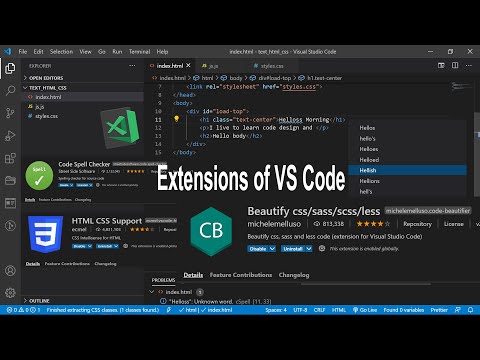
Code Spell Checker is a VS Code extension that finds spelling errors in your code and comments. It’s a linter for typos, not a generative AI tool.
✅ Pros
- ✔️ Catches common typos in variable names, function names, strings, and comments.
- ✔️ Helps improve overall code quality, readability, and maintainability.
- ✔️ Supports multiple programming languages and natural languages (e.g., English, Spanish, Russian).
- ✔️ Highly customizable with options for project-level and user-level dictionaries.
- ✔️ Seamlessly integrates with the VS Code “Problems” panel.
❌ Cons
- ✖️ It is not an AI tool. It does not understand code context or suggest logic improvements.
- ✖️ Can frequently flag correct technical terms or abbreviations as errors until they are added to a dictionary.
- ✖️ Setting up custom dictionaries for large, jargon-filled projects can be time-consuming.
- ✖️ It only checks for spelling, not for grammatical errors in comments.
Key Features
Spell checks the entire workspace, including code, strings, and comments.
“Quick Fix” suggestions to correct typos with a single click.
Support for custom dictionaries to add project-specific or personal words.
Ability to ignore or include specific files and folders for spell checking.
Works with a variety of programming and markup languages.
Highlights misspelled words directly in the code editor.

Ready-to-Use Prompts
Copy and customize these prompts for your specific needs
Prompt 1 Title
Prompt 1 Content
Prompt 2 Title
Prompt Title
Prompt Content
Prompt Title
Prompt Content
Prompt Title
Prompt Title
Prompt Content

 Login with Google