
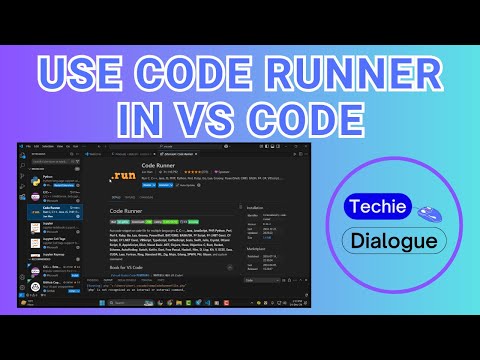
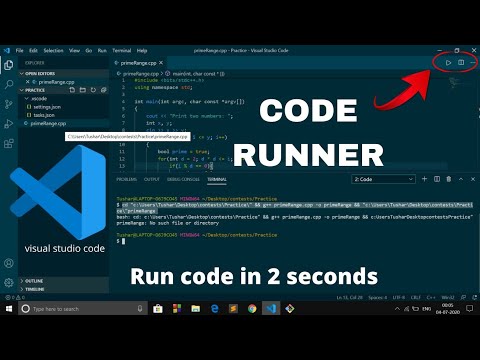
About Code Runner
Code Runner is a popular VS Code extension that runs code snippets or files in many languages. It’s a utility for quick execution, not an AI tool.
✅ Pros
- ✔️ Supports a huge number of programming languages right out of the box.
- ✔️ Extremely easy to use; run code with a single click or keyboard shortcut.
- ✔️ Saves a lot of time by eliminating the need to switch to an external terminal.
- ✔️ Highly customizable, allowing users to configure run commands for any language.
- ✔️ Perfect for quickly testing small scripts, algorithms, or competitive programming solutions.
❌ Cons
- ✖️ It is not an AI tool. It does not generate, complete, debug, or explain code.
- ✖️ Not a substitute for a full-fledged debugger or a proper project build system (like a Makefile or package.json script).
- ✖️ Can be difficult to configure for languages that need complex compilation steps.
- ✖️ The default output pane is not a fully interactive terminal (though it can be configured to use one).
Key Features
Run the code file of the currently active editor.
Run a selected block of code within the editor.
Support for REPL (Read-Eval-Print Loop) interaction with certain languages.
Option to run code in VS Code’s integrated terminal.
“Shebang” support to identify which interpreter to use.
File association to specify which language a file belongs to.
Ready-to-Use Prompts
Copy and customize these prompts for your specific needs
Prompt 1 Title
Prompt 1 Content
Prompt 2 Title
Prompt Title
Prompt Content
Prompt Title
Prompt Content
Prompt Title
Prompt Title
Prompt Content

 Login with Google