Unhook

Verified!

A browser extension to remove YouTube distractions, including the recommended sidebar, shorts, endscreen video suggestions, user comments, and more.

(4.0)
Average rating 4.0 out of 5

Free, Freemium

Tool Information

Company

Independent Developer/Team

Founded

2018

Pricing

Free, Freemium

About Unhook

Unhook is a browser extension designed to remove distracting elements from YouTube. It helps users stay focused by hiding recommended videos, comments, and other features, turning the site into a distraction-free experience.

Pros

  • ✔️ Reduces Distractions: Hides recommended videos and feeds to help users stay focused on their task.
  • ✔️ Highly Customizable: Allows users to choose which specific elements on the page they want to hide.
  • ✔️ Completely Free: The extension is entirely free to use without any premium or paid features.
  • ✔️ Improves Focus: Helps create a more productive environment for watching educational content.
  • ✔️ Lightweight: It is a simple, lightweight extension that does not slow down your browser.

Cons

  • ✖️ Limited to YouTube: The extension’s functionality is strictly limited to the YouTube website.
  • ✖️ Lacks AI Features: Unlike other tools, it does not use AI for content summarization or note-taking.
  • ✖️ Potential for Breakage: YouTube updates can sometimes cause the extension to temporarily stop working.
  • ✖️ No Advanced Functionality: It only hides content and does not provide any other productivity tools.

Key Features

✔️ Hide Recommended Videos: Removes the recommended video feed from the homepage and sidebar.
✔️ Hide Comments: Disables the comments section on all YouTube videos.
✔️ Hide Related Videos: Removes the “related videos” section that appears after a video ends.
✔️ Disable Autoplay: Prevents the next video from automatically playing to stop binge-watching.
✔️ Hide Homepage: Allows you to completely hide the YouTube homepage feed.
✔️ Hide Shorts: Removes the YouTube Shorts shelf from your feed.


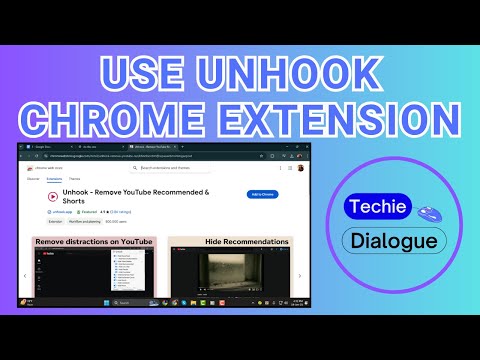
English Thumbnail
How to Use Unhook Chrome Extension – Full Tutorial {2025}
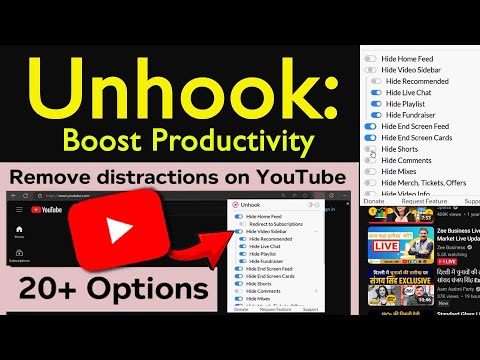
Hindi Thumbnail
how to use unhook chrome extension | Boost your Productivity by Removing YouTube Recommended

Ready-to-Use Prompts

Copy and customize these prompts for your specific needs

Prompt 1 Title
Prompt 1 Content
Prompt 2 Title
Prompt Title
Prompt Content
Prompt Title
Prompt Content
Prompt Title
Prompt Title
Prompt Content

Customer Reviews


😊 😡 😍 😐 👍


Pricing Plans

Free Plan

Use Cases

Removes distracting YouTube recommendations so you stay focused.

Helps you avoid binge-watching by hiding the homepage feed.

Blocks autoplay so you don’t lose track of time.

Shows only the video you opened so your mind stays on one task.

Reduces screen temptation, helping you get work done peacefully.

[tool_use_cases

Researchers: Focusing on a specific topic without being distracted by unrelated recommendations.

Professionals: Using YouTube for tutorials and learning without losing focus during work hours.

Digital Detox: Taking a break from the endless scroll and addictive nature of video feeds.

Habit Change: Helping users build better online habits and reduce screen time.

Parents: Creating a safer, more focused environment for children watching educational content.

×

Sign in to Projectpedia

Welcome back! Please sign in to continue


or

Don't have an account? Sign up
Scroll to Top