
About TODO Highlight
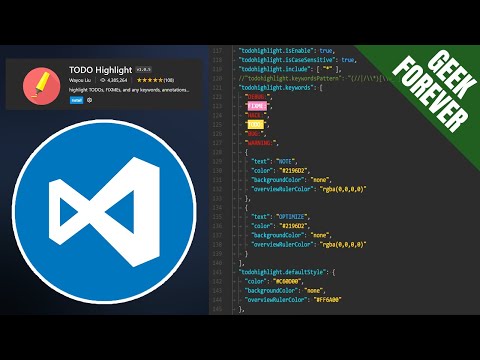
TODO Highlight is a VS Code extension that highlights keywords like TODO and FIXME, making them stand out. It’s a code utility, not an AI tool.
✅ Pros
- ✔️ Makes important notes highly visible.
- ✔️ Improves team collaboration & code reviews.
- ✔️ Highly customizable keywords and styles.
- ✔️ Lists all annotations in one convenient panel.
- ✔️ Lightweight and fast performance.
❌ Cons
- ✖️ It is not an AI tool; just a text highlighter.
- ✖️ Can create visual “noise” if overused.
- ✖️ Provides no actual task management functionality.
- ✖️ Default styles might clash with some themes.
Key Features
Highlights default keywords (TODO, FIXME).
Custom keyword and styling configuration.
“List all” command for a summary view.
Case-sensitive and whole-word matching.
Folder/file exclusion settings.
Ready-to-Use Prompts
Copy and customize these prompts for your specific needs
Prompt 1 Title
Prompt 1 Content
Prompt 2 Title
Prompt Title
Prompt Content
Prompt Title
Prompt Content
Prompt Title
Prompt Title
Prompt Content

 Login with Google