Kahoot AI

Verified!

Kahoot!+ is our all-in-one teaching toolkit. Perfect for delivering engaging lessons, homework and assignments, review, and assessment.

(3.8)
Average rating 3.8 out of 5

Free, Freemium

Tool Information

Company

Kahoot! ASA

Founded

2012

Pricing

Free, Freemium

About Kahoot AI

Kahoot! is a game-based learning platform that uses AI to help educators and trainers quickly create engaging quizzes and interactive presentations.

Pros

  • ✔️ Makes learning highly engaging and fun for students and employees.
  • ✔️ The AI question generator significantly speeds up the time it takes to create a quiz.
  • ✔️ Extremely easy to use for both the host and the participants.
  • ✔️ Can be played on any device with an internet browser, like phones, tablets, or laptops.
  • ✔️ Access to a massive public library of millions of pre-made quizzes.

Cons

  • ✖️ The most powerful AI features and advanced options are limited to paid subscribers.
  • ✖️ AI-generated questions must be carefully reviewed by a human for accuracy.
  • ✖️ The competitive, fast-paced nature can sometimes favor speed over thoughtful learning.
  • ✖️ The free version has limitations on the number of players per game.

Key Features

✔️ AI Question Generator: Automatically create quiz questions from a topic, text, or PDF document.
✔️ Game-Based Quizzes: The classic timed, multiple-choice trivia game format.
✔️ Multiple Question Types: Includes polls, puzzles, word clouds, open-ended questions, and more.
✔️ Live & Self-Paced Modes: Host a live game or assign a kahoot as a self-paced challenge.
✔️ Team Mode: Players can join forces and play as a collaborative team.
✔️Reports & Analytics: Track player performance and get insights into question difficulty.


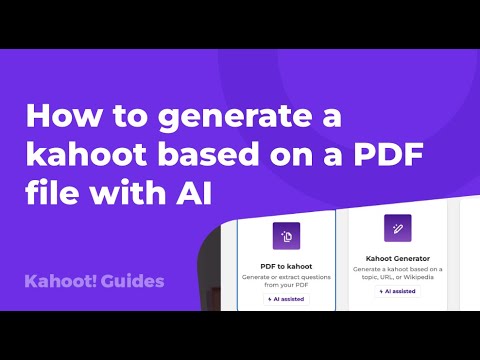
English Thumbnail
How to generate a kahoot based on a PDF file with AI
Hindi Thumbnail
Kahoot – Create a quiz and join quiz full tutorial explain in hindi

Ready-to-Use Prompts

Copy and customize these prompts for your specific needs

1. Professional Email Writer Prompt

“Write a professional email for [Purpose: meeting request, follow-up, clarification] in a clear, polite, and concise tone.”

2. Report Summary Prompt

“Summarize this office report/document into [Short Points / One Paragraph] highlighting key updates, decisions, and next actions.”

3. Meeting Notes / Minutes Prompt

“Convert the following meeting discussion into structured meeting minutes. Include Agenda, Key Points, Decisions, and Action Items.”

4. Task Prioritization Prompt

“Organize my tasks for today. Sort them into High Priority, Medium Priority, and Low Priority with recommended time blocks.”

5. Presentation Content Creator Prompt

“Create presentation-ready content for a meeting on [Topic: performance review, project update, sales report]. Include headings, bullet points, and a short conclusion.”

Customer Reviews


😊 😡 😍 😐 👍


Pricing Plans

Free Plan

Meetings up to 40 minutes per meeting

100 Participants per meeting

Team Chat

Clips Basic 5 two-minute videos

Mail and Calendar Client

Docs Basic Share up to 10 docs

Tasks Basic Manual entry

Notes

Whiteboard Basic 3 editable boards

Zoom Hub Basic

Paid Plans

Pro

1-99 users

1,147 /month/user, billed annually

(or 1,376 billed monthly, excluding GST)

Everything in Basic, and:

Meetings up to 30 hours per meeting

100 Participants per meeting (Increase with Large Meeting)

AI Companion

Cloud Storage 10GB

Docs Unlimited

Tasks AI-first task management

Clips Plus Unlimited videos

Custom Avatars 3 minutes per month

Mail and Calendar Client & Service

Workflow Automation Automate everyday routine tasks

Zoom Hub

Essential Apps Free premium apps for 1 year (terms apply)

Live Chat Support


Business

1-250 users

1,666 /month/user, billed annually

(or 1,999 billed monthly, excluding GST)

Everything in Pro, and

300 Participants per meeting (Increase with Large Meeting)

Whiteboard Unlimited boards

Scheduler

Extras SSO, managed domains & more

Use Cases

Save time by auto-generating quiz content from uploaded documents.

Turn boring presentations into engaging quiz sessions.

Help HR teams test employee knowledge after workshops.

Make team-building sessions fun with AI-generated questions.

Create interactive quizzes for office training or meetings.

[tool_use_cases

Corporate Trainers: Building engaging knowledge checks and compliance training modules.

Presenters: Creating interactive polls and icebreaker games for events and meetings.

Students: Generating self-study practice quizzes from their own notes or textbook chapters.

Event Organizers: Making fun trivia games for parties or social gatherings.

Anyone who needs to create an engaging quiz but is short on time.

×

Sign in to Projectpedia

Welcome back! Please sign in to continue


or

Don't have an account? Sign up
Scroll to Top